
VideoMax – Video, Movie & Series Streaming WordPress Theme
Launch your own streaming platform: movies, series, anime and videos with memberships, credits, codes and a powerful player, built for WordPress and Elementor.
- Updated October 5, 2026
 Temifya
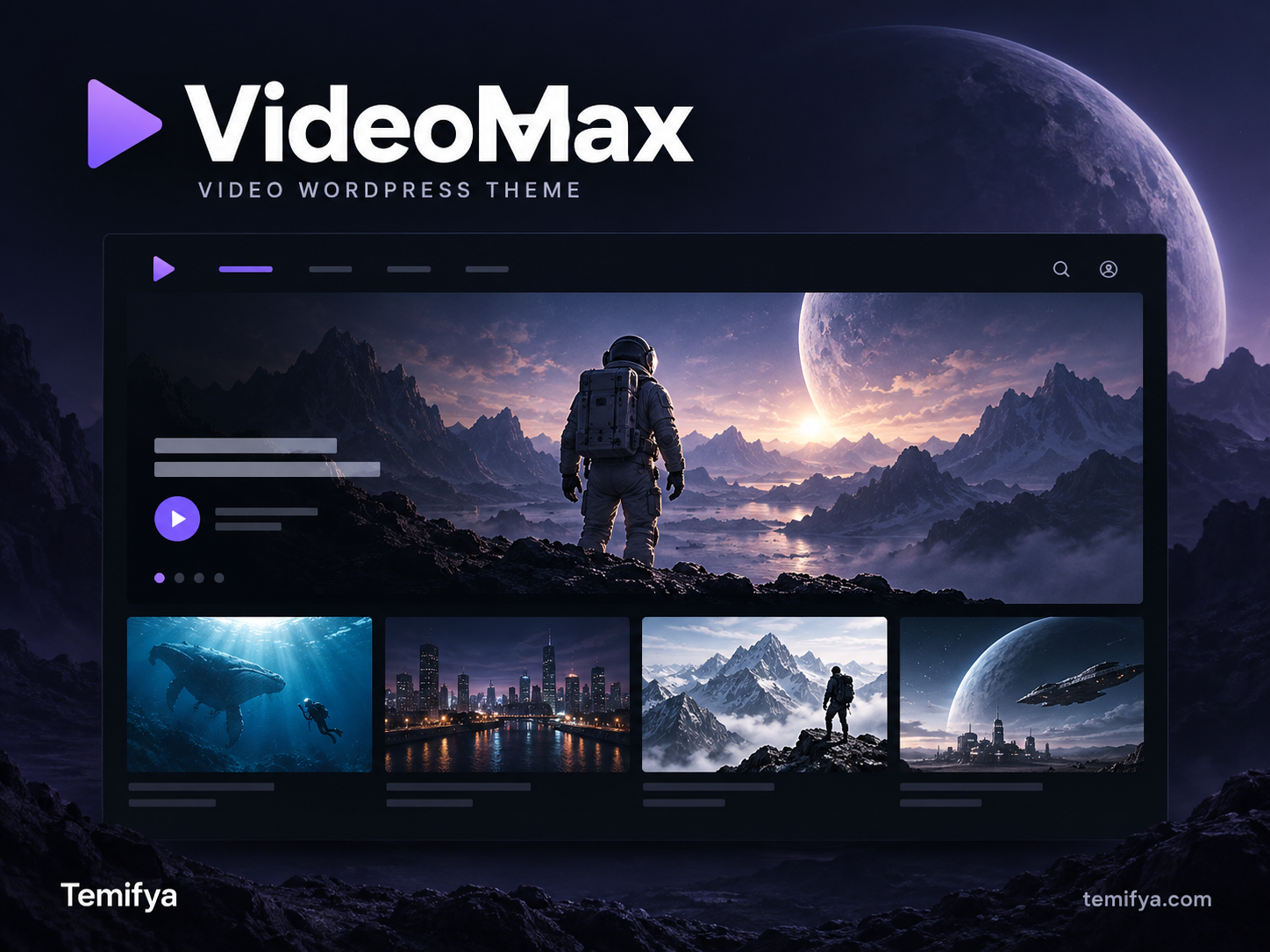
Overview
Description
VideoMax turns WordPress into a complete video streaming platform. Publish movies, series with seasons and episodes, anime and standalone videos in a dark, cinematic design. Decide exactly who can watch what: free content, premium memberships, pay-per-view with credits, time-limited rentals or access codes.
Everything is managed from one clean admin panel, and every page can be designed with Elementor using more than 25 dedicated VideoMax widgets. The VideoMax Core plugin ships inside the theme and installs with one click. Updates are offered from the theme, so your site always stays in sync.
Whether you run a film archive, an anime site, a course library or a niche video community, VideoMax gives you the catalog, the player, the monetisation and the tools to run it.
Key Features
Content & Catalog
- Movies, series (with seasons and episodes), videos, channels and actors as dedicated content types
- Genres with automatic line icons, a category index page and genre chips
- Rich content details: year, duration, quality, language, age rating, cast and more
- Seasons & episodes browser with search, “continue watching” and progress bars
- Similar content, popular series, new episodes, coming soon and countdown sections
- Broadcast schedule (release calendar) and new-episode notifications
- Site profile: switch the wording between a general video site and an anime site in one setting
- Redesigned, professional edit screens for every content type
Player
- Multi-source player: uploaded video, direct video URL, iframe code or embed URL
- Multiple sources per content, with subtitles
- Bunny Stream integration with optional signed URL protection
- Playback is checked on the server: sources are never printed for visitors who are not allowed to watch
- Account sharing limit: control how many devices can watch at the same time
Monetisation & Access
- Premium membership plans (weekly, monthly or any duration) through WooCommerce
- Credits: sell credit packages; visitors spend credits to unlock content
- Rentals: time-limited access to single titles
- Access codes: generate, export and redeem codes in bulk, with rate limiting against abuse
- Package rules: decide which plans unlock which movies, series or categories
- Revenue and sales reports, including active and ended memberships
- Built-in ad system: pre-roll video ads, banner ads, popup ads and script ads (each can be turned on or off)
Engagement
- Card previews: a short, muted MP4/WebM clip or animated WebP/GIF plays when the visitor hovers over a card. On phones the first tap plays it and the second tap opens the content.
- Banner Slider with images, animated GIF/WebP and MP4 video banners, with separate desktop and mobile files
- Likes/dislikes and a 1–10 rating system
- Favorites / My List and “Continue Watching”
- Content requests, support tickets, DMCA form and account deletion requests
- News section, which can be limited to premium members
- Seasonal looks for Christmas and Halloween
Age Verification (18+)
- Blur the covers and hide the descriptions of age-restricted content everywhere: home page, archives, search, Elementor widgets and account lists
- Apply it only to items marked with an age rating, or to all content at once: videos, movies, series, actors, channels, category cards and Banner Slider media
- Visitors confirm once; members’ confirmations are saved to their account
- Optional “confirmation only after login” mode
- The site itself stays open; there is no full-site entry wall
Elementor Widgets
Hero slider, Banner Slider, content rows, videos, movies, series, popular series, new episodes, coming soon, broadcast schedule, countdown, continue watching, channels, actors, categories, genre chips, membership plans, credit packages, FAQ, call to action, ad area, news, player, content info, likes, rating, seasons & episodes and similar content.
Design
- Dark, cinematic design with customizable color palettes
- Fully responsive: desktop, tablet and phone
- Horizontal content rows with arrows and touch swipe
- Respects “reduced motion” and saves data: previews and videos load only when needed
Security
- Login policy and login token protection
- Cloudflare Turnstile compatibility
- Rate limiting on code redemption
- Protected playback endpoints and signed media URLs
Included Plugins
- VideoMax Core (required): the content types, player, memberships and all platform features
- VideoMax TMDB Importer (optional): import movies, series, seasons, episodes, cast and images from TMDB
- VideoMax Migration Helper (optional): move your existing site from StreamTube or VidoRev, including Paid Memberships Pro and myCred data
All plugins are bundled with the theme and are installed and updated from Appearance → VideoMax Plugins.
Languages
Translation-ready and fully translated into English, Turkish, German, Spanish, French, Portuguese (Brazil) and Russian.
Requirements
- WordPress 6.4 or later (tested up to 7.1)
- PHP 8.1 or later
- Elementor (free) for page building
- WooCommerce for membership and credit payments
Installation
- Go to Appearance → Themes → Add New → Upload Theme, upload the theme zip and activate it.
- Click Install Now in the notice to install VideoMax Core.
- Enter your license key under VideoMax → Settings → Theme.
Support & Updates
Updates are delivered directly to your dashboard. Bundled plugins update together with the theme, and you are offered each plugin update with one click.
Key features
- Movies, series, seasons, episodes, videos, channels and actors as dedicated content types
- Anime site mode: switch the site wording between a general video site and an anime site
- Genres with automatic icons, category index page and genre chips
- Detailed content info: year, duration, quality, language, age rating and cast
- Seasons and episodes browser with search
- Continue Watching with progress bars
- Favorites / My List
- Similar content, popular series, new episodes and coming soon sections
- Broadcast schedule (release calendar)
- New episode notifications
- Professional edit screens for every content type
- Multi-source player: uploaded video, video URL, iframe code or embed URL
- Multiple sources per content
- Subtitle support
- Bunny Stream integration with signed URL protection
- Server-side playback protection: sources are never shown to visitors who cannot watch
- Account sharing limit (simultaneous device control)
- Premium membership plans (weekly, monthly or any duration)
- WooCommerce payments
- Credit packages and pay-per-view with credits
- Time-limited rentals
- Access codes: bulk generate, export and redeem
- Package rules: choose which plans unlock which content
- Revenue and sales reports
- Active and ended membership statistics
- Built-in ad system: pre-roll, banner, popup and script ads
- Card previews: short MP4, WebM, WebP or GIF clips play on hover (tap on mobile)
- Banner Slider with image, GIF, WebP and MP4 video banners
- Separate desktop and mobile banner files
- Hero slider
- Likes and dislikes
- 1–10 rating system
- Content requests
- Support tickets
- DMCA notice form
- Account deletion requests
- News section (optionally for premium members only)
- Seasonal themes for Christmas and Halloween
- Age verification (18+): blurred covers and hidden descriptions
- Age verification for marked content only or for all content at once
- Age verification for actors, channels, category cards and banners
- Optional login-required age confirmation
- 28 dedicated Elementor widgets
- Dark, cinematic design with customizable color palettes
- Fully responsive on desktop, tablet and mobile
- Horizontal content rows with arrows and touch swipe
- Reduced motion support and data saving
- Login policy and login token protection
- Cloudflare Turnstile compatibility
- Rate limiting on code redemption
Changelog
-
11.19.8
- Release date 5 October 2026
Frequently asked questions
What kind of website can I build with VideoMax?
A video streaming platform for movies, series, anime and videos. It works for film archives, anime sites, video libraries, course platforms and niche video communities.
Do I need any plugins?
VideoMax Core is required. It is bundled with the theme and installs with one click after activation. Elementor (free) is recommended for page design. WooCommerce is only needed if you want to sell memberships or credit packages.
What are the server requirements?
WordPress 6.4 or later and PHP 8.1 or later. VideoMax is tested up to WordPress 7.1.
Where do I host my videos?
Wherever you like. Each content item can play an uploaded video, a direct video URL, an iframe code or an embed URL. VideoMax also integrates with Bunny Stream, with optional signed URL protection. You can add multiple sources and subtitles to every title.
Can I sell memberships?
Yes. You can create premium membership plans of any length (weekly, monthly or custom), sell credit packages for pay-per-view, offer time-limited rentals and generate access codes in bulk. Payments are handled through WooCommerce.
Can I decide which content belongs to which plan?
Yes. Package rules let you choose which plans unlock which movies, series or categories. You can also mark content as free.
Is premium content protected?
Yes. Playback is checked on the server, so video sources are never printed on the page for visitors who are not allowed to watch. You can also limit how many devices can watch at the same time on one account.
Can I import movies and series automatically?
Yes. The bundled VideoMax TMDB Importer imports movies, series, seasons, episodes, cast and images from TMDB. It needs a free TMDB API key.
I already use StreamTube or VidoRev. Can I switch?
Yes. The bundled VideoMax Migration Helper moves your content from StreamTube or VidoRev, including Paid Memberships Pro and myCred data.
Can I run an anime website?
Yes. One setting switches the wording of the whole site to anime. VideoMax also includes a broadcast schedule and new-episode notifications.
Can I show ads?
Yes. The built-in ad system supports pre-roll video ads, banner ads, popup ads and script ads. Each type can be turned on or off separately.
Does it support 18+ content?
Yes. Age verification blurs covers and hides descriptions until the visitor confirms their age, and playback stays locked until then. You can apply it only to items marked with an age rating or to all content at once, including actors, channels, category cards and banners. The rest of the site stays open, so there is no full-site entry wall.
Can I use animated or video banners?
Yes. The Banner Slider accepts images, animated GIF/WebP and MP4 videos, with separate files for desktop and mobile. Content cards can also play a short preview clip when visitors hover over them, or tap on phones.
Is VideoMax mobile friendly?
Yes. Every page is fully responsive on desktop, tablet and phone. Content rows support touch swipe.
Can I design my pages with Elementor?
Yes. VideoMax includes 28 dedicated Elementor widgets: hero and banner sliders, content rows, schedules, membership and credit plans, the player, seasons and episodes, and more.
Is it SEO friendly?
Yes. VideoMax works with Yoast SEO and Rank Math, including their sitemaps and canonical URLs.
Which languages are included?
English, Turkish, German, Spanish, French, Portuguese (Brazil) and Russian. The theme is translation-ready for any other language.
Can I change the colors?
Yes. You can customize the color palette from the theme settings. Seasonal looks for Christmas and Halloween are also included.
How do I get updates?
Updates arrive directly in your WordPress dashboard for the duration of your license. The bundled plugins are offered for update together with the theme, one click each.
How do I activate my license?
After installing the theme, enter your license key under VideoMax → Settings → Theme.
Customer reviews
No reviews yet. Be the first to share your experience!